How I Built A Self-Service Automation Platform
The current buzz in the industry is how DevOps is changing the world and how the traditional role of operations is changing. Part of these discussions lead to building self-service automation tools which enable developers to actually deploy and support their own code. I want to discuss a little bit about the work I did at a previous company and how it changed the way the company did business.
AWS Architecture
So first of all we used AWS as the foundation of our platform, but using AWS isn't the be all end all, if anything it presented its own challenges to the self-service platform we ended up designing.
Cloud Agnostic
Amazon provides a wide range of services from basic EC2 features like instance creation to full blown DBaaS (database as a service), one of the most heated discussions ended up being around what AWS services we actually wanted to provide support for. I was a huge advocate of keeping it simple and sticking strictly to EC2 related services (compute, storage, load balancing, and public IPs) the reason was simple, I knew that eventually our AWS spend would grow so much that it might eventually make sense to build our own private cloud using OpenStack or other open standards. Initially this wasn't a well accepted view point because many of our developers wanted to 'play' with as many AWS services as they could, but in the long run this paid off more than you could imagine.
Environments
As we all know AWS doesn't actually provide an 'environments' concept, so the first architectural decision was around environments. Having spent the last 15 years working in operations I understood that it was critical to design an EC2 infrastructure that was identical between development, staging, and production. So we made the decision that we would create separate VPCs for each of these environments. Not only did the VPC design allow for network and routing segregation between each environment it also allowed developers to have a full prod-like environment for development purposes.
Security Groups
The next decision was around how security groups were actually going to work. So, I've seen complex designs where databases, web servers, product lines, etc. all have their own security groups, and while I don't fault anyone for taking such an approach it didn't really lend itself to the type of automation platform I wanted to design. I wasn't willing to give development teams the ability to manage their own security groups so I made the decision there would only be two. I simply created a public security group for instances which lived in the public subnets, and a private security group that lived in the private subnets.
What this allowed for was a strict set of rules regarding which ports (80/443) were open from the internet, and also created a strict set of rules regarding which ports would be open from the public to the private zone. See I wanted to force all of the applications to listen on a specific port on the private side, and see an amazing thing happens when you tell a developer:
"Look you can push this button and get a Tomcat server, and if your app runs on port 8080 everything will work; however if you want to run your app on a non standard port you need to get security approval, and wait for the network team to open the port"
The amazing thing is that quickly every application in your environment begins to run on standard ports creating an environment of consistency.
Puppet
The next decision we ended up making was which configuration management system to actually use. This was quite easy, since I wrote the prototype application and no one else in my team existed at the time I picked puppet. Puppet is actually very mature and it allowed me to create a team of engineers who strictly wrote puppet modules which ultimately were made available via the self-service REST API.
Puppet ENC
At the time when we built our platform Hiera was still a 'bolt on product', and we needed a way to programmatically add nodes to Puppet as they were being created by our self-service automation platform. After searching online, nothing really stood out as a solution so we decided to roll our own Puppet ENC which can be found here:
Puppet ENC with MongoDB Backend
By using the ENC we created which supported inheritance we were able to define a default set of classes for all nodes and then allow specific nodes to have 'optional' puppet modules. For instance if a developer wanted a NodeJS server they could simply pass the NodeJS module, but by using the inheritance feature of our ENC we were able to enforce all the other modules like monitoring, security, base, etc.
Puppet Environments
Next we decided to really take Puppet environments and use them entirely different than how Puppet Labs intended them to be used. We actually used them to 'tag' specific instances to specific versions of our Puppet manifest. By using a branch strategy for Puppetfile and R10k we were able to create stable releases of our Puppet manifest. For instance we had a v3 branch of our Puppetfile which represented a specific set of puppet modules at a specific version, this allowed us to work on a v4 branch of Puppetfile which introduced breaking changes to the environment without impacting existing nodes. A node in our ENC would look like this:
classes:
  base: ''
  ntpclient: ''
  nagiosclient: ''
  backupagent: ''
  mongodb: ''
environment: v3
parameters:
This allowed our development teams to decide when they actually wanted to promote existing nodes to our new Puppet manifest or simply redeploy nodes with the new features.
Command Line To REST API
So initially our self-service platform started with me working with a single team who wanted to go to the 'cloud'. Initially I wrote a simple python module which used Boto, and Fabric to do the following:
- •Enforce A Naming Convention
- •Create An EC2 Instance
- •Assign The Instance To The Correct 'Environment' (dev, stg, prd)
- •Assign The Correct Security Group
- •Assign The Instance To A Public Or Private Subnet
- •Tag The Instance With The Application Name and Environment
- •Add The Node And Correct Puppet Modules to the Puppet ENC
- •Add The Node To Route53
- •Register The Node With Zabbix
- •Configure Logstash For Kibana
By using Puppet the node would spin up, connect to the Puppetmaster, and install the default set of classes plus the classes passed by our development teams, in the steps above Puppet was responsible for configuring Zabbix, registering with the Zabbix server, and configuring Logstash for Kibana.
Rapid Adoption
The amazing thing I experienced was that once development teams were able to deploy systems quickly bypassing traditional processes adoption started to grow like wild fire. After about 4 different teams began using this simple Python module it became clear we needed to create a full blown REST API.
The good thing about starting with a simple python module was that the 'business' logic for interacting with the system was defined for a team of real developers to build a REST API. The prototype provided the information they needed to actually create the infrastructure across the environments, and interact with Zabbix, Kibana, Route53, etc.
It wasn't long till we were able to implement a simple authentication system which leveraged Crowd for authentication and provided 'team' level ownership of everything from instances to DNS records.
Features
Over time the list of features continued to grow, here is the list of features that finally seemed to provide the most value across 70 development teams around the globe.
- •Instance Creation and Management
- •Database Deployments (MongoDB, Cassandra, ElasticSearch, MySQL)
- •Haproxy With A/B Deployment Capabilities Using Consul
- •Elastic Load Balancer Management
- •Data Encryption At Rest
- •DNS Management
- •CDN Package Uploading
- •Multi-Tenant User Authentication System
Screenshots
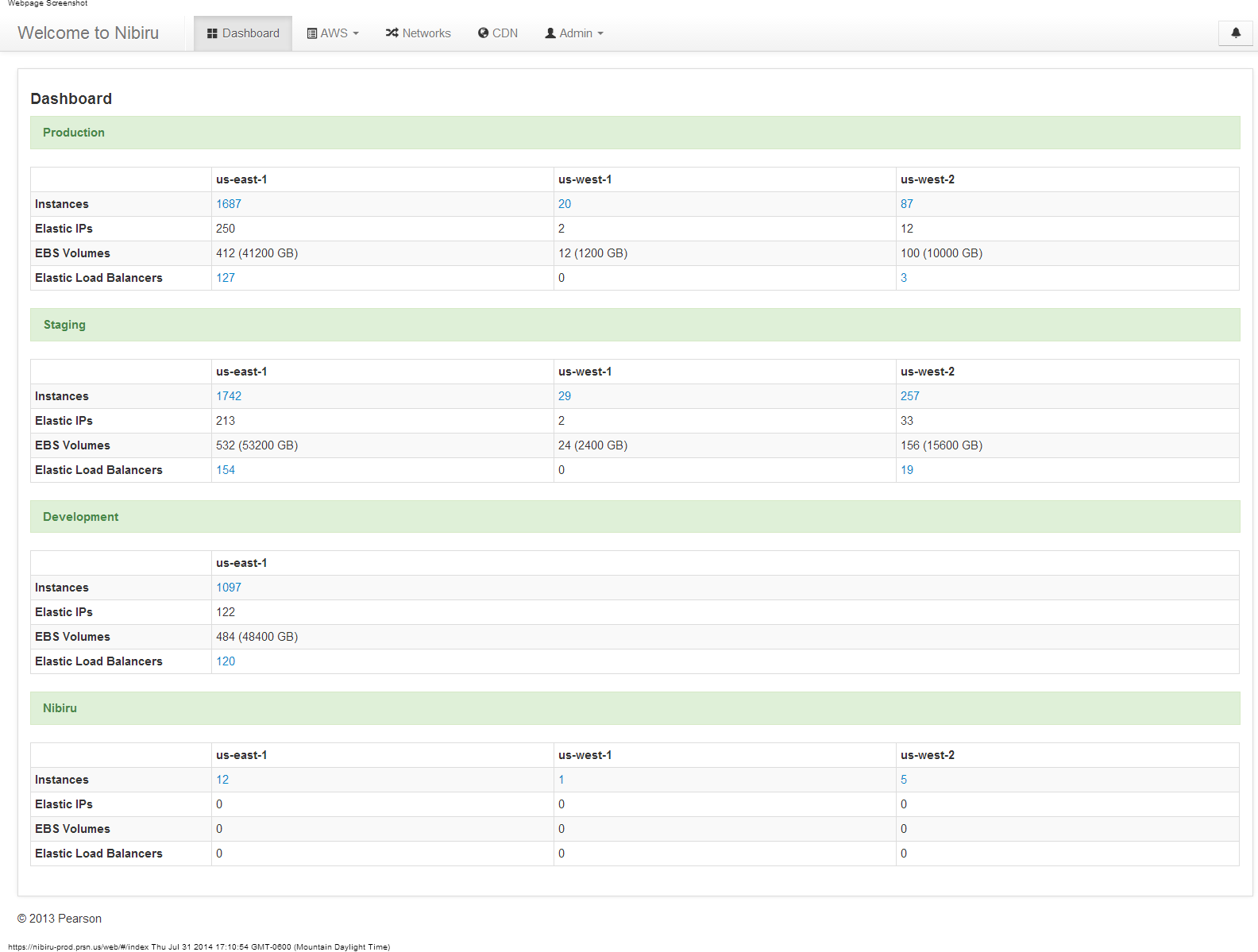
Nibiru Dashboard
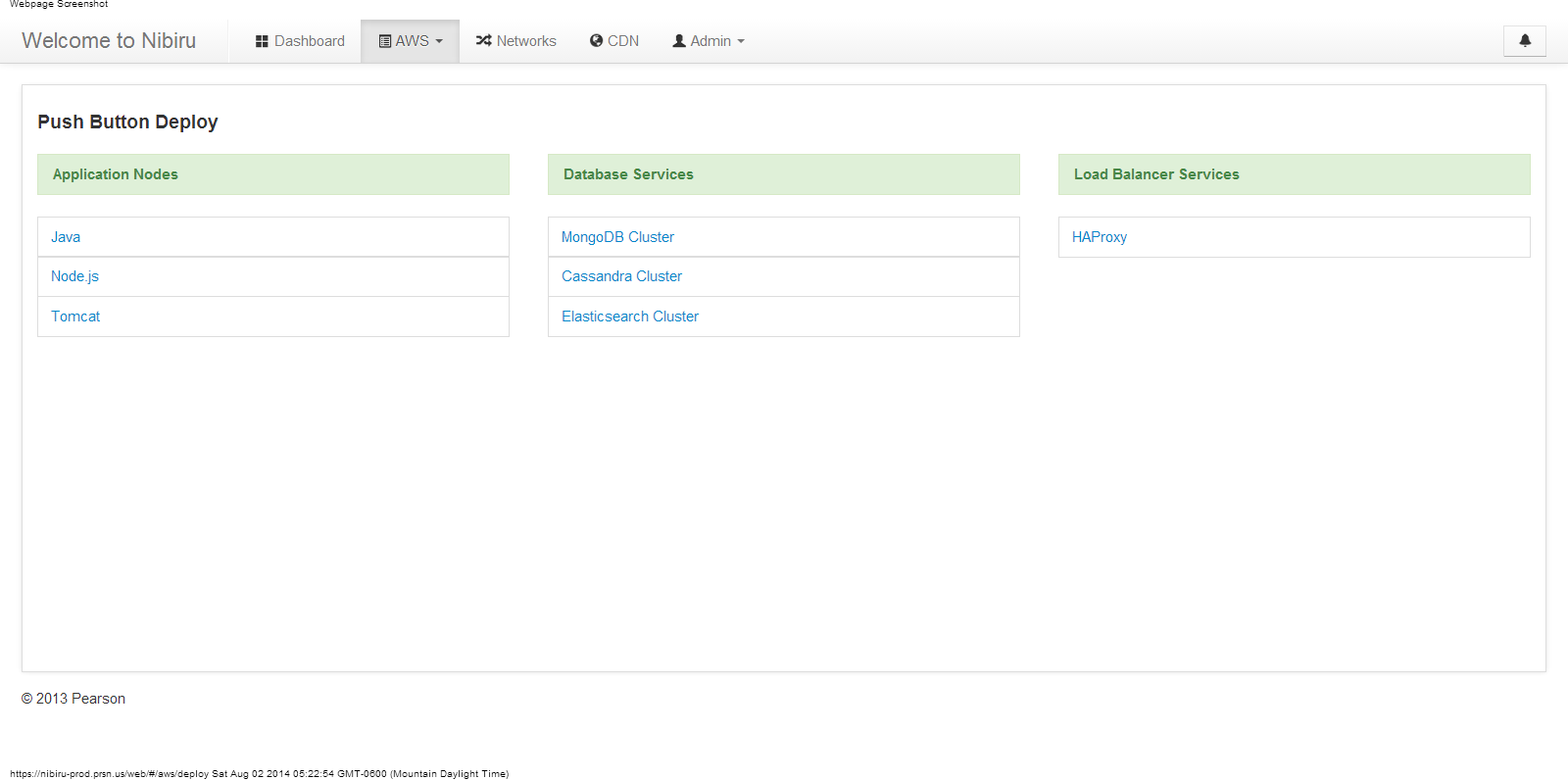
Push Button Deployment
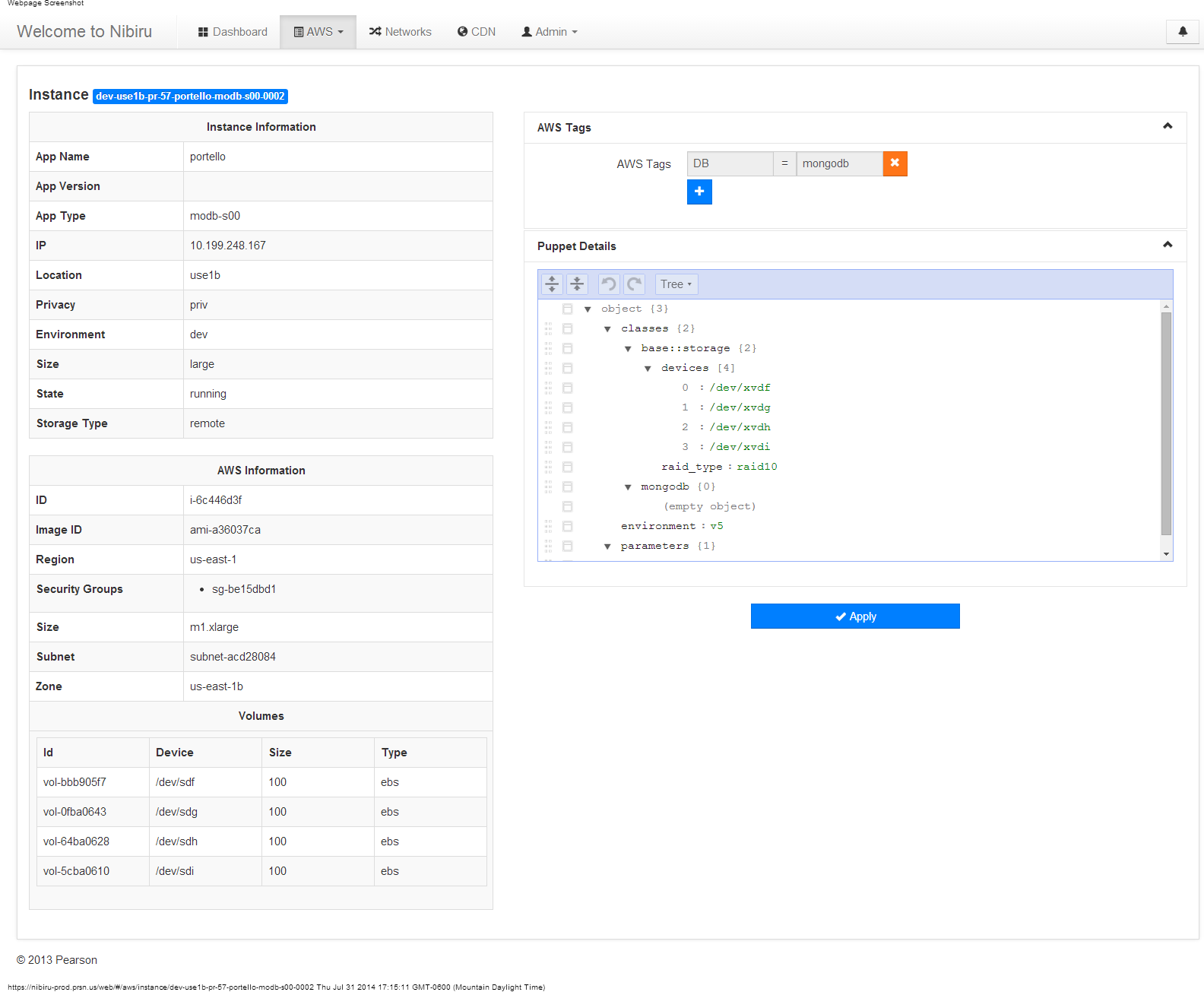
Web Instance Details
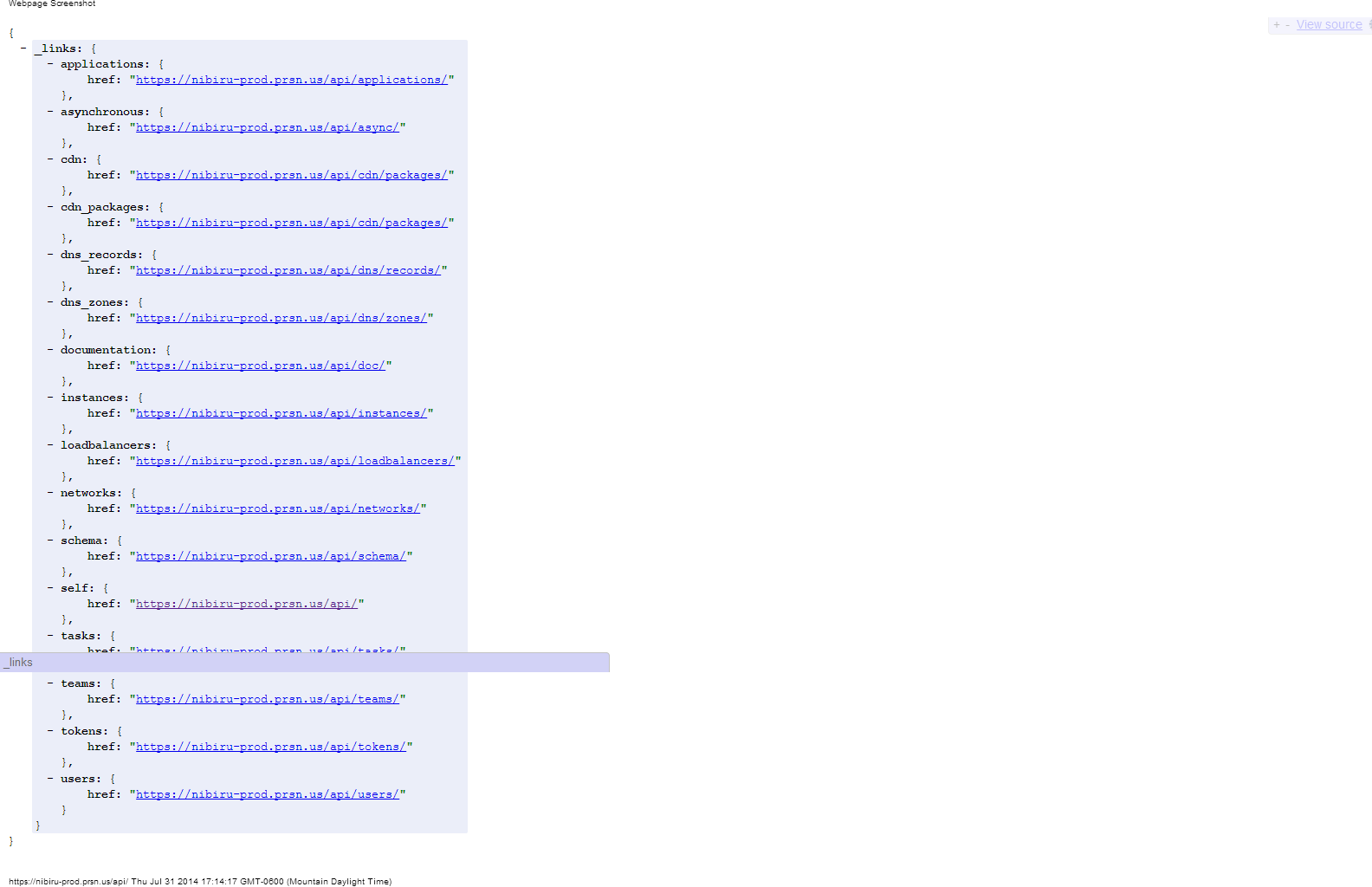
API Links
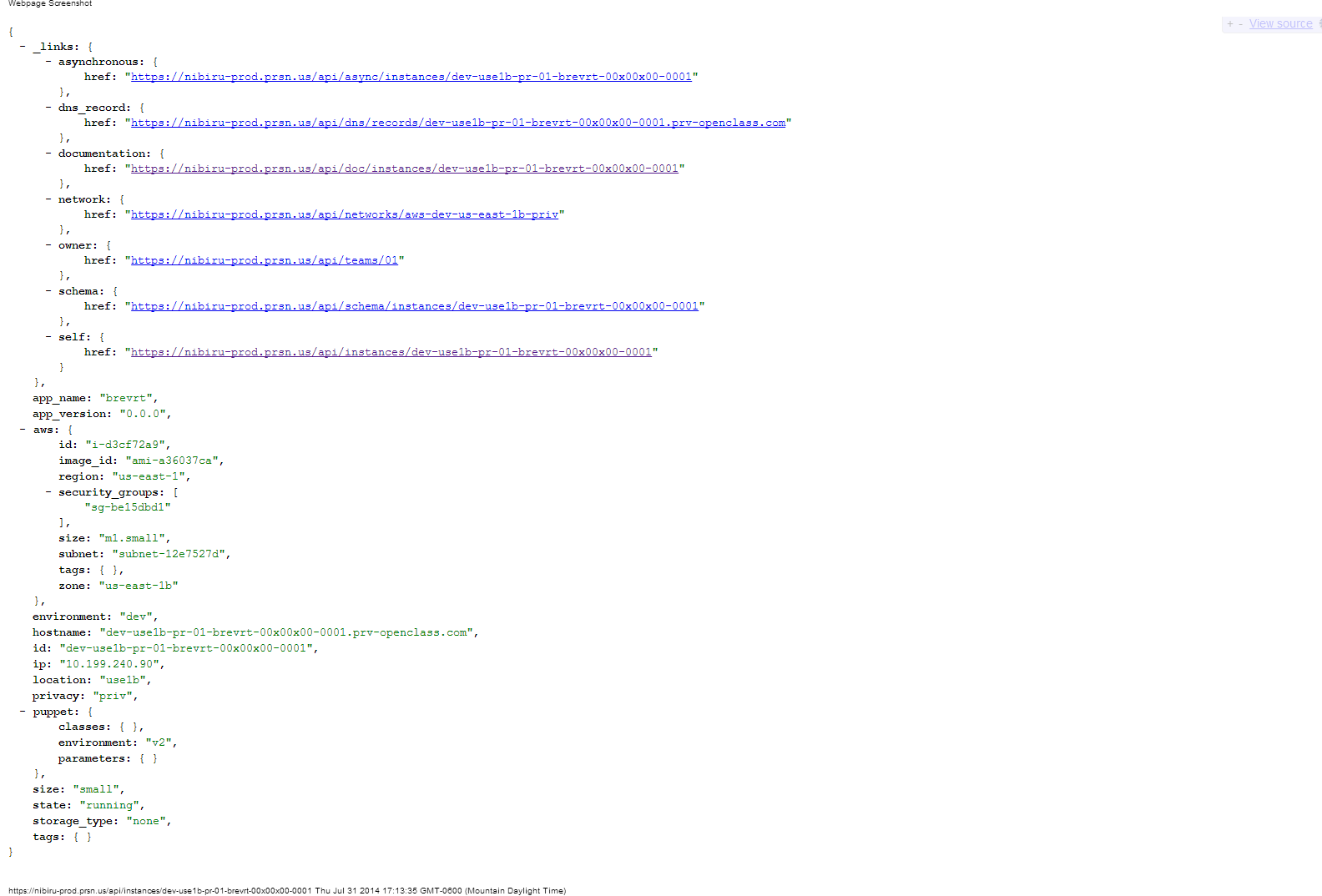
Instance JSON Response
Conclusion
While the idea was very simple it actually revolutionized the way my company delivered software to market, by centrally managing the entire infrastructure with Puppet we had an easy way to push out patches and security updates. By creating an easy to use API we enabled development teams to deploy code quickly and consistently from development through production. We were able to maintain infrastructure best practices with backups, monitoring, etc. all built into the infrastructure that development teams could deploy with the click of a mouse or an API call.